Cute Shapes: Crie Desenhos Coloridos com Formas Fofas
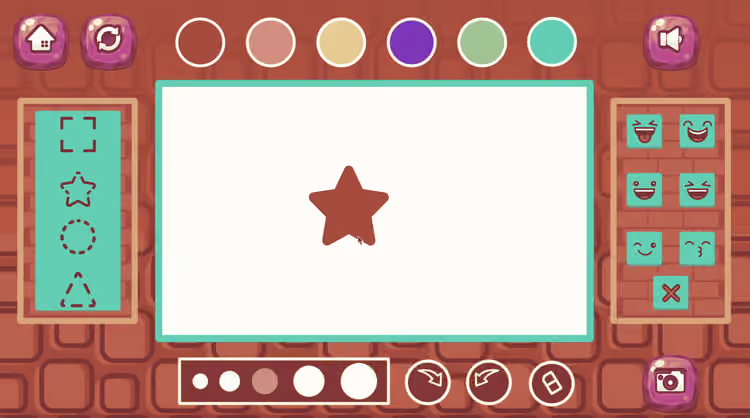
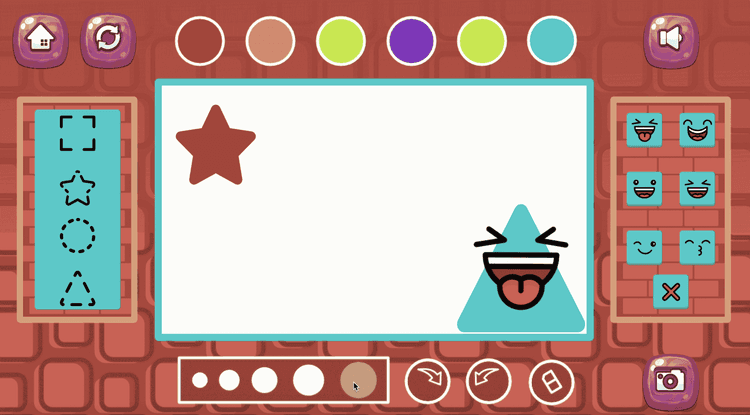
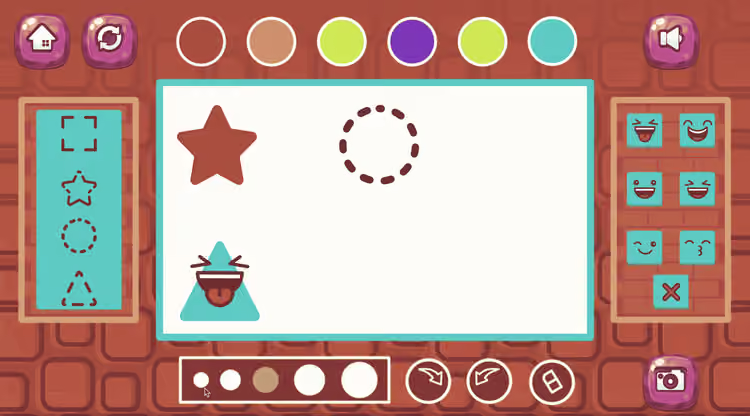
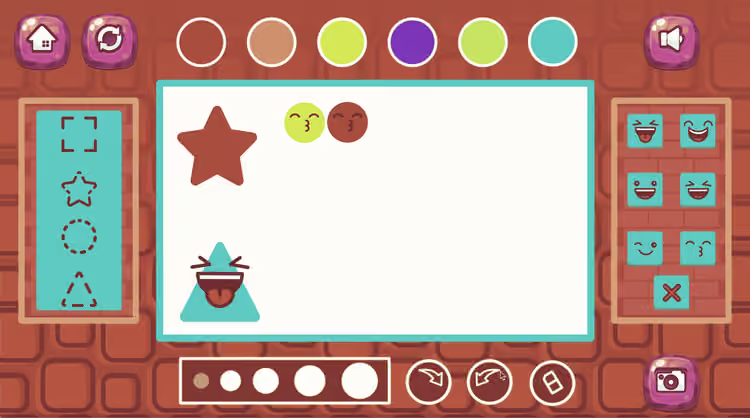
Cute Shapes é um jogo criativo em que os jogadores podem escolher formas diferentes, ajustar o tamanho delas e adicionar expressões faciais divertidas. Em vez de focar em velocidade ou competição, o jogo convida as crianças a explorar cores, formas e imaginação de maneira leve e agradável. Com interações simples e visual colorido, ele oferece um espaço acessível para brincar com criação.
O charme da experiência está na liberdade para transformar elementos simples em personagens cheios de personalidade. Um círculo pode virar um rostinho sorridente, um quadrado pode ganhar um ar engraçado, e combinações diferentes podem gerar resultados totalmente novos. Como o jogador pode mudar o tamanho das formas e escolher expressões variadas, cada criação pode ficar bem pessoal. Isso faz o jogo funcionar muito bem para crianças que gostam de desenhar, decorar e inventar coisas visuais.
Cute Shapes também fica mais recompensador porque permite tirar uma foto da criação no final. Assim, o desenho pronto não fica só como uma brincadeira momentânea, mas também como um pequeno trabalho criativo que pode ser guardado. Para crianças que gostam de mostrar imaginação com cores fortes e carinhas divertidas, este é um jogo acolhedor e muito simpático.
Resumo Rápido
Jogo criativo baseado em escolher, redimensionar e personalizar formas fofas
Adicione expressões faciais diferentes para dar personalidade a cada forma
Visual colorido e alegre que incentiva a imaginação
Permite salvar a criação tirando uma foto do trabalho final
Experiência acessível e divertida para crianças que gostam de atividades visuais
Categorias
Design / Kids / Educational / Customization / Casual
O que é Cute Shapes?
Cute Shapes é um jogo infantil de criação em que o objetivo principal é montar composições coloridas usando formas variadas e detalhes faciais expressivos. Em vez de resolver quebra cabeças ou enfrentar fases difíceis, o jogador passa o tempo experimentando escolhas visuais. Uma forma pode ficar maior ou menor, sua expressão pode mudar, e o resultado final pode ser ajustado até parecer perfeito. Por isso, o jogo funciona mais como um pequeno estúdio criativo do que como um desafio tradicional.
O que torna a proposta interessante é a possibilidade de transformar elementos básicos em algo cheio de vida. Sozinhas, as formas são simples, mas quando recebem cor e expressão, passam a parecer pequenos personagens. Isso dá uma sensação forte de criatividade, porque o jogador não está apenas escolhendo peças. Ele está montando algo original a partir de partes visuais bem simples.
O jogo é especialmente indicado para crianças que gostam de atividades ligadas à arte, criação leve e imaginação. Ele estimula observação, escolha e experimentação de um jeito muito acessível. Como não existe pressão forte, a experiência fica centrada em diversão, descoberta e expressão pessoal.
Como jogar Cute Shapes?
Cute Shapes é fácil de começar e gostoso de experimentar. Você escolhe formas, muda o tamanho delas, adiciona expressões e monta um desenho colorido que depois pode ser salvo.
Escolha uma das formas fofas disponíveis
Ajuste o tamanho da forma de acordo com sua ideia
Adicione uma expressão facial para dar personalidade
Combine cores e formas para criar uma composição divertida
Tire uma foto da criação pronta para salvar seu trabalho
Estratégias de Cute Shapes
Comece pela forma principal
Escolher primeiro a forma mais importante ajuda a organizar melhor o restante da criação.Combine a expressão com o clima do desenho
Um rosto feliz, surpreso ou engraçado pode mudar bastante a sensação da composição.Use tamanhos diferentes com equilíbrio
Deixar uma forma maior e outra menor pode tornar o visual mais interessante e mais organizado.Experimente contrastes de cor
Diferenças fortes entre as cores ajudam cada parte a aparecer melhor.Revise antes de salvar
Olhar o desenho uma última vez pode ajudar a melhorar pequenos detalhes antes da foto.
Controles
PC
Use o mouse para escolher formas e ajustar o tamanho delas.
Clique nas opções de expressão para personalizar cada elemento.
Mobile
Toque nas formas na tela para selecionar e editar.
Use os controles por toque para redimensionar e adicionar expressões faciais.
Descubra Jogos Parecidos no Pixidus
Explore jogos de Design para encontrar mais atividades visuais criativas
Veja a categoria Kids para experiências coloridas e fáceis de aproveitar
Procure jogos de Educational que estimulem imaginação e percepção visual
Experimente títulos de Customization para mais ferramentas de criação
Navegue por jogos de Casual para partidas leves e amigáveis
Perguntas Frequentes
Cute Shapes é fácil para crianças entenderem?
Sim. O jogo usa ações simples e uma estrutura muito acessível.Dá para mudar o tamanho das formas?
Sim. Redimensionar as formas é uma parte importante da criação.As formas podem receber expressões faciais?
Sim. Você pode adicionar expressões diferentes para deixá las mais divertidas.É possível salvar o que foi criado?
Sim. O jogo permite tirar uma foto da criação final.O foco está mais na criatividade do que no desafio?
Sim. A proposta principal é imaginar, montar e se divertir com formas coloridas.
0 Comentários
Por favor, faça login para deixar um comentário
Nenhum comentário ainda